
Employee Management
Run a tight, accountable team. A built-in time clock, per-clerk sales tracking, and permissions you control mean you always know who did what — and every employee sees only what they should.
Adapt POS Employee Management Features
Time Clock Features
-
Clock In/Out: Employees can easily clock in and out using Adapt POS, ensuring accurate tracking of work hours.
-
Shift Monitoring: Managers can view real-time data on who is clocked in and monitor shift durations.
-
Payroll Integration: Time clock data can be exported for seamless payroll processing.
Unique Sale Clerk ID
-
Individual Tracking: Each employee is assigned a unique sale clerk ID, allowing Adapt POS to track who processes each sale.
-
Sales Accountability: Monitor individual performance and identify top performers or areas for improvement.
-
Transaction Transparency: Easily audit transactions by clerk ID to ensure accuracy and prevent discrepancies.
Customizable User Permissions
-
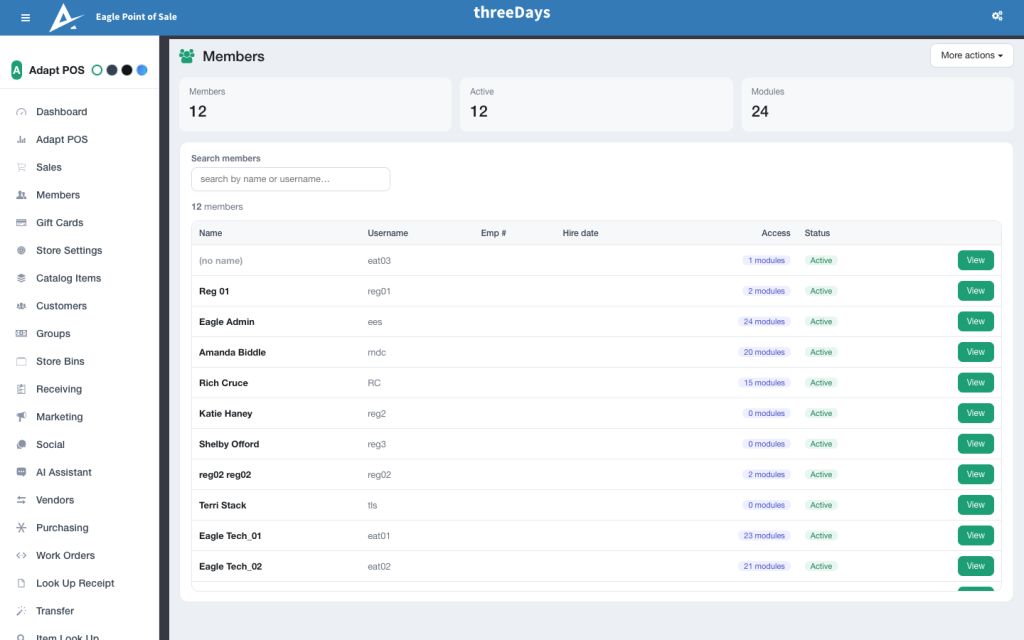
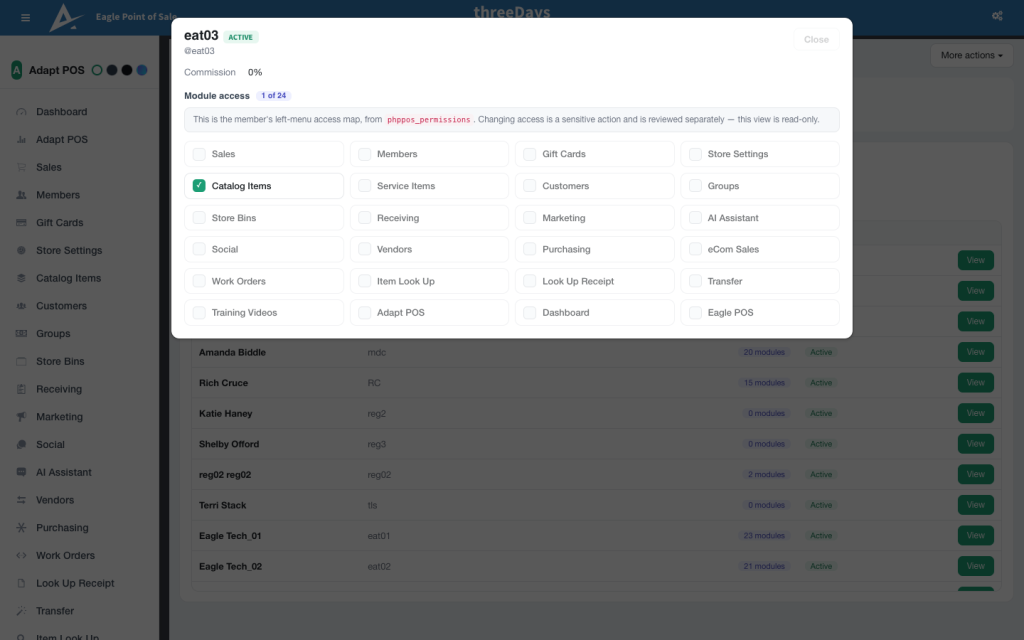
Role-Based Access: Under the “Members” section, create and manage Adapt POS sign-on accounts for each employee.
-
Granular Settings: Adjust account settings to control access levels, such as:
-
Ability to process sales.
-
Access to inventory management.
-
Permissions to view reports or edit settings.
Access to purchasing and receiving.
-
-
Security: Restrict sensitive areas of the system to authorized personnel only, enhancing operational security.
Benefits
-
Efficiency: Streamlined time tracking and sales attribution save time for managers.
-
Flexibility: Tailor access to match each employee’s role, from cashiers to administrators.
-
Insightful Data: Gain insights into employee performance and operational trends.
Adapt POS’s employee management features empower businesses to maintain control, ensure accountability, and optimize workforce productivity.
Key Features
- Built-in time clock with clock in/out
- Per-clerk sales tracking and accountability
- Customizable permissions for every role
- A real-time view of who is on shift
- Payroll-ready time exports
See what Adapt can do for your store
Book a personalized demo and we will show you exactly how Adapt fits your business — no pressure, just answers.
See Adapt Employee Management in action